Live-event rehearsal: test the entire viewer journey
Your control-room preview looks perfect. On a television in another country, the first ad break ends in silence. A live-event rehearsal should expose that gap while the team still has time to fix it.
Follow the programme through every handoff to the viewer, including the people responsible for each transition. A rehearsal needs the actual viewing applications, representative devices and a shared record of what happened. A green encoder dashboard can coexist with an unusable stream.
Define what the live-event rehearsal must prove
Write a short acceptance sheet before booking the rehearsal. Name the event, schedule revision, destinations, territories, language tracks and supported device families. Assign an owner to every test and an incident lead who can stop the exercise.
Agree thresholds for startup time, rebuffering, live delay, audio/video synchronisation and recovery. Set them for the service and audience you actually deliver. A low-latency sports application and a conventional FAST channel can have different requirements.
Use realistic encoding, packaging, digital rights management (DRM) and advertising configurations in an isolated test service. Record differences from production, including reduced traffic or partner sandboxes. Schedule a separately authorised production smoke test where necessary, with a rollback plan and no unannounced viewer disruption.
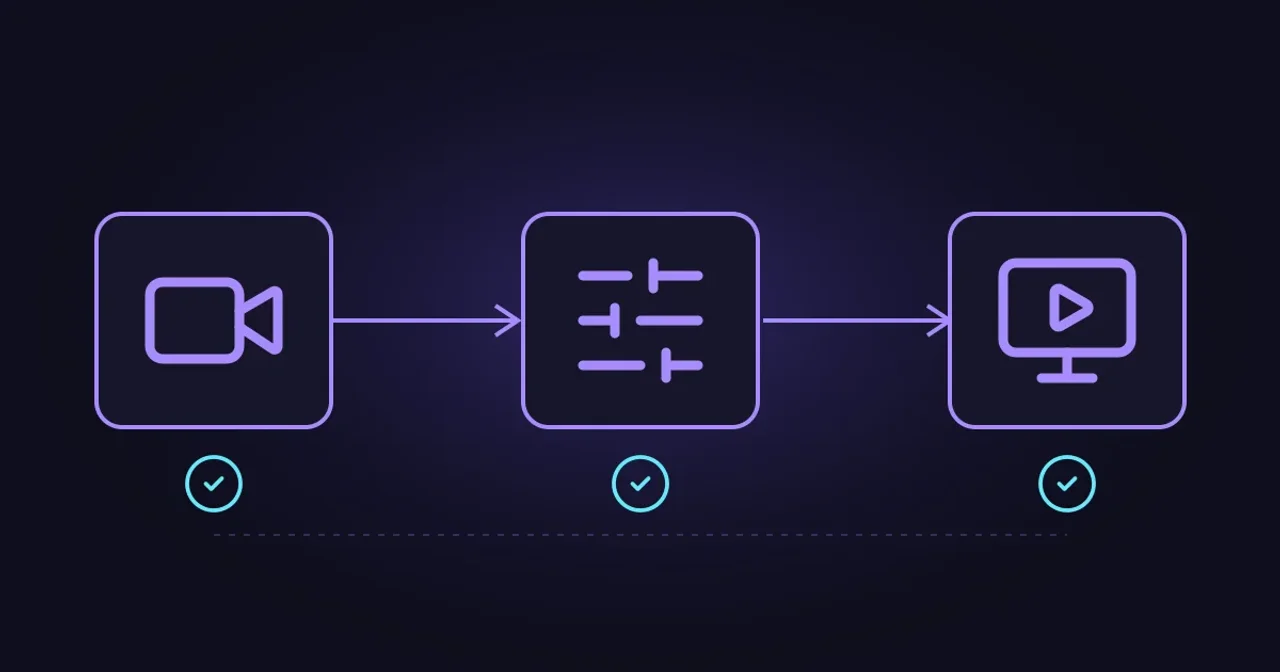
DASH-IF’s Live Media Ingest Protocol distinguishes encoder-to-packager ingest from delivery-ready ingest. Map the interfaces your service uses, including the content delivery network (CDN).
Simplified delivery path. Inspect each handoff and the final playback together. Ad insertion and DRM placement depend on the architecture; their services are not necessarily arranged in a single serial chain.
Rehearse the transitions people will notice
Start with entry and the opening minute
Open the event through the same guide listing, application link or notification the audience will use. Check the artwork, title, start time, entitlement and territorial restrictions. Include a fresh login and a returning session with expired authorisation.
Then watch the holding slate change to programme. Confirm the correct audio track, captions, graphics and first moving picture on representative smart TVs, phones and browsers. Use both a controlled connection and realistic home-network conditions. A desktop browser alone cannot represent your supported device estate.
Validate the manifests and media as well as watching them. Check codec declarations, rendition switching, timestamps and caption signalling. Apple’s HLS authoring specification explains that validators cannot assess video quality and recommends visual checks under different network conditions. Retain both results.
Run complete advertising breaks
Include programme-to-ad and ad-to-programme transitions, a partially filled break, an ad-decision timeout and the approved fallback. Test the expected codecs, resolutions, audio layouts and encryption arrangements across those boundaries.
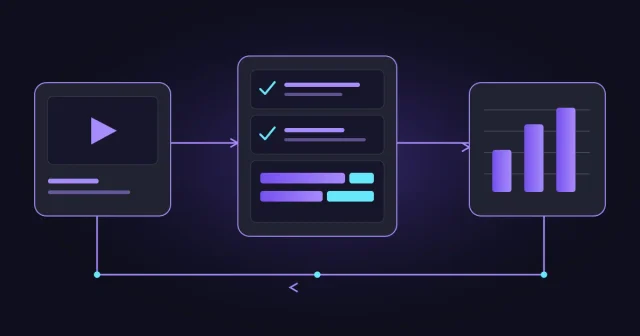
Trace the break identifier from the SCTE cue through the ad request, selected media and player observation. IAB Tech Lab’s VAST 4.3 defines playback and error-tracking events. Confirm which media played, when programme resumed and which events were recorded. Keep test traffic out of billable campaign reporting wherever integrations permit.
Exercise DRM and accessibility
Use authorised test accounts to check licence acquisition, expiry, renewal and configured key changes. The W3C Encrypted Media Extensions Recommendation defines licence messages and key-status changes for browsers; native devices need their own checks. Test access refusal as well as successful playback.
For protected services, combine upstream monitoring with authorised downstream playback probes. Check captions, alternate audio and audio description through every transition where those services are offered. Encryption limits what an intermediate network probe can inspect; the final decoded experience still needs an observer.
Give the rehearsal a believable running order
Consider a hypothetical 20:00 sports stream. The team joins the holding slate at 19:55, takes programme at 20:00, runs a test break at 20:08 and rehearses an overrun before the scheduled finish. These are exercise timings, not a recommended advertising pattern.
During the break, one device starts a new session while another remains connected. A third rejoins after losing connectivity. This catches differences between starting inside a break and crossing it in an established session. Repeat the relevant cases for each materially different playback stack.
Follow the finish through to the next programme or event-ended slate. Confirm the guide updates, rights-window handling and any replay availability. Live operations still has work to do after the presenter says goodbye.
Introduce faults with an agreed stop control
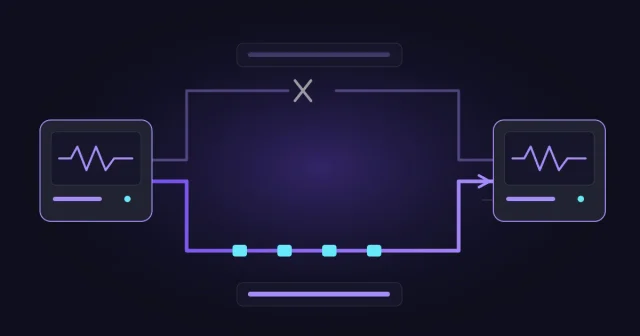
Choose a small set of failures: a lost contribution feed, a stalled manifest, a failed licence request or an unavailable ad service. Define the fallback and rollback before each injection. Obtain partner agreement before testing shared infrastructure, and keep load tests inside approved limits. Google’s Site Reliability Workbook describes controlled drills using real response tools without customer impact.
- 1Inject the agreed fault
Record the affected path, test identifier and start time.
- 2Observe the response
Record detection, ownership and the fallback decision.
- 3Verify viewer recovery
Confirm moving video, sound and required accessibility tracks.
- 4Restore protection
Check the repaired path and safe return to normal operation.
An illustrative test sequence, not a timing guarantee. Measure system recovery and visible playback recovery separately; player buffers can hide or delay the effect of a fault.
Keep timestamps comparable across systems. Preserve a short output recording, relevant logs and device observations against the same test identifier. Avoid collecting account credentials or unnecessary personal data in the evidence pack.
Player telemetry can help explain buffering and delivery behaviour. Check its coverage and definitions before comparing results across applications. A small rehearsal establishes functional behaviour; separately planned capacity tests address anticipated concurrency, request bursts and service limits.
Make the go-live decision explicit
Finish with a defect list that names the affected viewers, severity, owner and retest result. Define which failures block launch. Any accepted exception needs a named approver, an operational workaround and an expiry or review date.
Re-run failed journeys after fixes and preserve the tested configuration. Changes to the player, ad setup, rights rules or delivery path can invalidate earlier evidence. Give the transmission shift the final runbook, escalation contacts and recovery instructions.
A live-event rehearsal earns its time when the team can show what viewers experienced and how it recovered. Evrideo Broadcast brings scheduling, playout and live operations into that wider chain. Talk to our team about the handoffs and recovery tests your next event needs.