
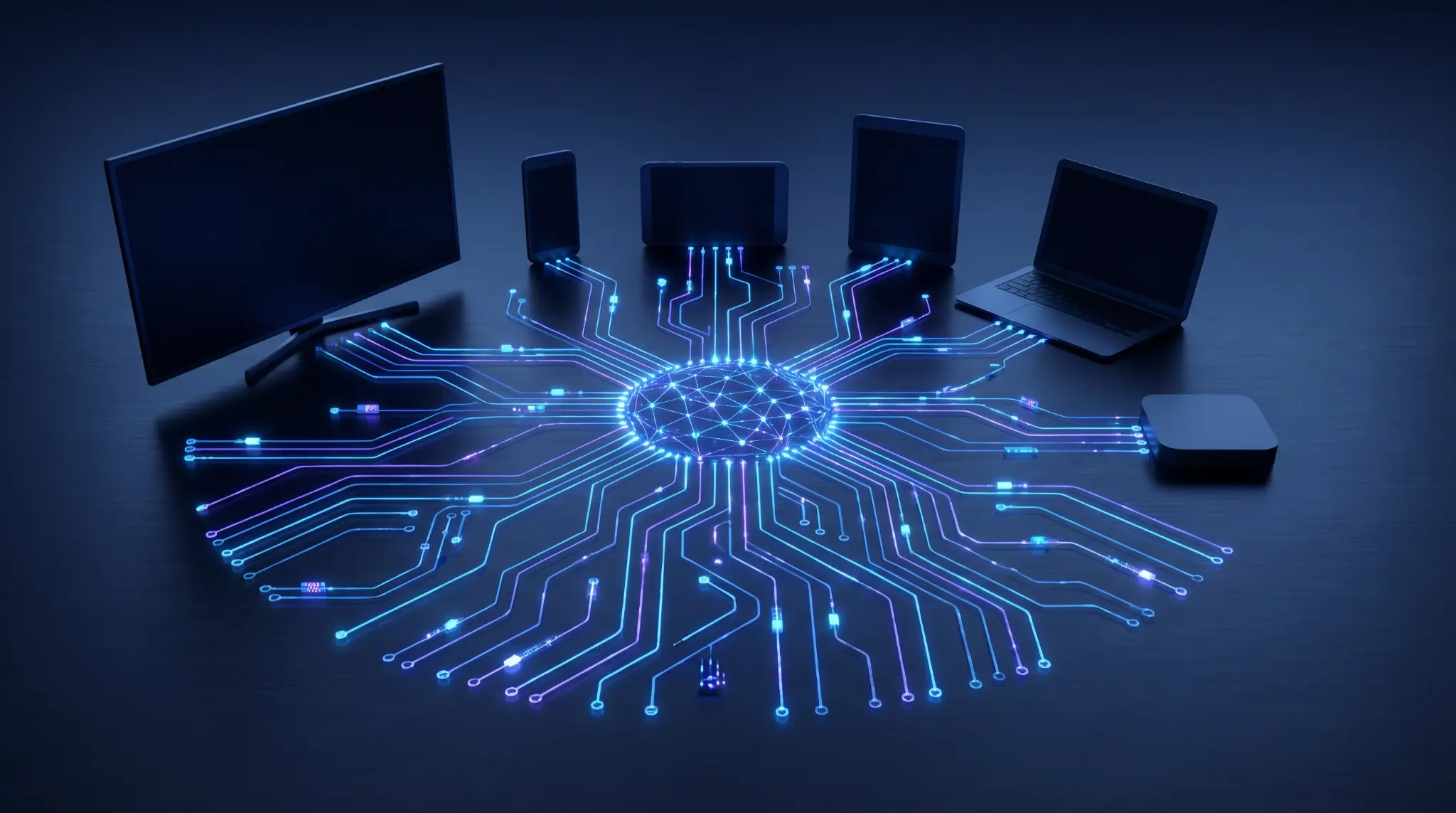
DASH vs HLS: Pros, Cons and How to Choose the Right Streaming Protocol
HLS and MPEG-DASH solve the same fundamental problem: how do you deliver video over ordinary HTTP infrastructure while adapting quality to the viewer's network, device, and playback conditions?
At a high level they look similar. Both use a manifest, both split media into small segments, both allow multiple bitrate variants, and both can be delivered through standard CDNs. But in production broadcast and streaming operations, the differences matter. They affect device reach, DRM choices, latency, ad insertion, packaging complexity, monitoring, player behaviour, and how much operational friction your team inherits.
This guide gives a practical comparison of HLS and DASH, with enough technical depth to help engineers, product owners, and commercial teams make a better decision.
The Short Version
If you need one simple rule: HLS is usually the safest default for broad consumer reach, while DASH is often the stronger fit for open, standards-led, multi-DRM and non-Apple-centric workflows. In many serious OTT environments, the answer is not one or the other. The answer is to package once into CMAF-aligned media and publish both HLS and DASH manifests from the same segment set.
| Question | Best default | Why |
|---|---|---|
| Do you need reliable playback on iPhone, iPad, Apple TV and Safari? | HLS | HLS remains the native Apple ecosystem choice and is deeply integrated into Apple playback. |
| Are you targeting Android TV, smart TVs, browsers, set-top boxes and custom players? | DASH or HLS | Both can work, but player and device certification quickly becomes the deciding factor. |
| Do you need Widevine and PlayReady workflows? | DASH | DASH is commonly paired with Widevine and PlayReady in many browser, Android and connected-TV environments. |
| Do you need FairPlay? | HLS | FairPlay delivery is normally associated with HLS in Apple environments. |
| Do you want one media segment set with two manifests? | CMAF with HLS + DASH | A common modern pattern is shared fragmented MP4 media with separate HLS and DASH manifests. |
| Do you need the lowest possible latency over HTTP at scale? | It depends | Low-Latency HLS and Low-Latency DASH both exist, but the player/CDN/device implementation matters more than the protocol name. |
How HLS and DASH Work
Both protocols are adaptive bitrate streaming systems. The player downloads a manifest, chooses a rendition, fetches short media segments, monitors bandwidth and buffer health, then switches rendition when conditions change.
Adaptive streaming model
Player requests manifest
Manifest lists renditions
Player fetches segments
Bandwidth and buffer are measured
Player switches quality
With HLS, the manifest is a playlist: a master playlist points to media playlists, and media playlists point to segments. With DASH, the manifest is an MPD, which describes periods, adaptation sets, representations and segment addressing.
| Layer | HLS term | DASH term | What it means operationally |
|---|---|---|---|
| Top-level manifest | Master playlist | MPD | The entry point the player requests first. |
| Track group | Media playlist / rendition group | AdaptationSet | Audio, video, subtitles or alternate language groupings. |
| Quality variant | Variant stream | Representation | A specific bitrate, resolution and codec combination. |
| Media chunk | Segment | Segment | The small file or byte range fetched during playback. |
| Timed metadata / events | DATERANGE, ID3, cue tags | EventStream, emsg | Used for ad signalling, metadata and application events. |
HLS: Strengths and Weaknesses
HLS, or HTTP Live Streaming, was created by Apple and is defined publicly in RFC 8216. It is not just a protocol; it is also a practical ecosystem. That ecosystem is its greatest strength.
HLS Pros
- Excellent Apple support: If iOS, iPadOS, tvOS and Safari are important, HLS is usually non-negotiable.
- Broad operational familiarity: Encoders, packagers, CDNs, SSAI platforms, QA tools and monitoring systems almost always understand HLS.
- Simple manifest model: HLS playlists are text-based and relatively easy to inspect during incidents.
- Strong live and linear heritage: HLS is widely used for live sports, linear channels, FAST channels, simulcast and OTT distribution.
- Low-Latency HLS option: LL-HLS can reduce glass-to-glass latency when the player, origin and CDN support it properly.
- Ad insertion maturity: SCTE-35 workflows are commonly expressed through HLS cueing approaches such as DATERANGE or ad-marker tags.
HLS Cons
- Apple influence shapes the roadmap: That is often a benefit, but it also means some decisions are ecosystem-led rather than purely standards-led.
- DRM fragmentation: HLS with FairPlay is natural on Apple devices, but Widevine and PlayReady workflows may push you toward DASH or dual packaging.
- Browser behaviour varies: Safari plays HLS natively, while many other desktop browsers rely on JavaScript players such as hls.js.
- Legacy HLS can be inefficient: Older MPEG-TS based HLS workflows can duplicate storage and packaging effort if DASH is also required.
- Latency is not automatically low: Plain HLS with long segments can still be tens of seconds behind live unless the workflow is designed for low latency.
DASH: Strengths and Weaknesses
MPEG-DASH is an international standards-based adaptive streaming protocol. It is codec-agnostic, manifest-rich, and widely used in browser, Android, smart TV and set-top-box ecosystems. It is also the more common home for Widevine and PlayReady protected streams.
DASH Pros
- Standards-led design: DASH is developed through MPEG/ISO and supported by DASH-IF interoperability work.
- Flexible manifest model: MPDs can describe complex presentations with periods, adaptation sets, multi-language audio, subtitles, alternate camera angles and events.
- Strong DRM alignment: DASH is commonly paired with Common Encryption, Widevine and PlayReady.
- Good fit for web and connected TV players: Many HTML5 players use Media Source Extensions to support DASH playback in browsers.
- CMAF-friendly: DASH works well with fragmented MP4/CMAF packaging, which can also support HLS from the same media segments.
- Low-Latency DASH option: Chunked transfer, shorter segments and player support can support low-latency use cases.
DASH Cons
- No universal native Apple playback: If your service must work cleanly on iPhone and Apple TV without custom player complexity, DASH alone is usually not enough.
- Manifest complexity: MPDs are powerful but can be harder to debug during a live incident than HLS playlists.
- Device certification matters: Some connected TVs and set-top boxes interpret DASH profiles differently, which makes testing essential.
- Player dependency: DASH often requires a JavaScript or native SDK player layer rather than relying on a simple native video element.
- Operational tooling varies: DASH monitoring, ad signalling and manifest manipulation are strong in mature stacks, but less universal than basic HLS tooling.
Visual Comparison: Where Each Protocol Tends to Win
| Category | HLS | DASH | Practical takeaway |
|---|---|---|---|
| Apple devices | Excellent | Limited without player workarounds | Use HLS for Apple reach. |
| Android / Chrome / web players | Good with player support | Very strong with MSE players | Either can work; test your target player. |
| Smart TVs | Good but variable by platform | Good but profile-sensitive | Certification beats theory. |
| DRM | FairPlay is natural; other DRM varies | Widevine and PlayReady are common | Multi-DRM often means dual manifests. |
| Ad insertion | Very mature in live/linear workflows | Strong, especially with EventStream/emsg | Both work; downstream SSAI expectations matter. |
| Manifest readability | Simple text playlists | Richer XML MPDs | HLS is often easier in a war room. |
| Low latency | LL-HLS | LL-DASH | Implementation quality matters more than branding. |
| Single media storage | Good with CMAF HLS | Good with CMAF DASH | CMAF can reduce duplication. |
Device Reach: The Most Important Commercial Difference
The first decision is not technical purity. It is where your viewers are. If you need reach across Apple devices, HLS is usually mandatory. If you are building a service for browsers, Android TV, set-top boxes, gaming consoles or smart TVs, DASH may be equally or more attractive.
The trap is assuming that support on a spec sheet means support in production. Smart TVs in particular can be unforgiving. Two devices may claim DASH support while disagreeing about timing, codec combinations, subtitle handling, DRM configuration or live edge behaviour.
Device-led decision tree
| Need Apple ecosystem coverage? | Publish HLS. |
| Need Widevine / PlayReady heavy workflows? | Publish DASH, usually alongside HLS. |
| Need one CDN/object-store media footprint? | Use CMAF segments with both HLS and DASH manifests. |
| Need a simple public stream with maximum compatibility? | Start with HLS, then add DASH where devices require it. |
Latency: HLS vs DASH Is the Wrong First Question
Teams often ask which protocol has lower latency. The better question is: which end-to-end implementation can keep latency low without increasing rebuffering, operational fragility or CDN cost?
Latency is affected by encoder GOP size, segment duration, partial segment support, origin behaviour, CDN cache rules, player buffer policy, playlist/MPD refresh cadence and device performance. HLS and DASH both have low-latency modes, but neither is magic.
| Latency factor | Impact | Operational risk |
|---|---|---|
| Shorter segments | Can reduce latency | More requests, more CDN/origin pressure. |
| Partial segments / chunks | Can reduce live edge delay | Requires compatible encoder, origin, CDN and player. |
| Smaller player buffer | Can reduce glass-to-glass latency | More sensitive to jitter and packet loss. |
| Live edge chasing | Keeps playback close to live | Can cause playback instability if too aggressive. |
| CDN cache behaviour | Controls manifest and part availability | Bad cache headers can defeat low-latency design. |
DRM: Where DASH Often Has an Advantage
For premium VOD and subscription services, DRM is often the deciding factor. DASH is widely used with Common Encryption, Widevine and PlayReady. HLS is the natural fit for FairPlay on Apple devices.
In practice, many premium services package content for both ecosystems. The media may be CMAF-aligned, but the manifests, DRM signalling and license acquisition flows differ by platform.
Advertising and SCTE-35
Both HLS and DASH can carry ad signalling. In HLS, SCTE-35 cues are often represented through DATERANGE or cue tags in the playlist. In DASH, timed events can be carried through EventStream in the MPD or emsg boxes in media segments.
The important thing is not just whether the protocol can express the marker. The important thing is whether your ad insertion platform, downstream distributor, monitoring tool and player all interpret the marker the same way.
| Workflow | HLS approach | DASH approach |
|---|---|---|
| SSAI ad break marker | DATERANGE, cue tags, SCTE-35 mapped into playlist metadata | EventStream or emsg carrying timed event data |
| Client-side ad insertion | Player reads manifest tags or metadata | Player reads MPD events or in-band emsg |
| Monitoring | Inspect playlist and media segment continuity | Inspect MPD periods/events and segment timing |
| Common failure | Markers appear late, missing duration, discontinuity issues | Period boundary, event timing, player interpretation issues |
CMAF Changed the Conversation
Historically, teams often had to create separate HLS and DASH packaging outputs, sometimes with duplicated media. CMAF made it much easier to use fragmented MP4 segments as a common media foundation for both HLS and DASH.
That does not mean HLS and DASH become identical. The manifest logic, DRM signalling and player behaviour still differ. But it does mean the operational model can be simpler:
Modern dual-manifest model
aligned GOPs and fragmented MP4
shared audio/video chunks
HLS playlist + DASH MPD
Total Cost of Ownership: Where the Money Actually Moves
There is no universal rule that HLS is cheaper than DASH, or that DASH is cheaper than HLS. The protocol itself is not usually the billable line item. The cost difference comes from the ecosystem around it: devices, packaging, SSAI, DRM, monitoring, player QA and operational support.
In practice, the lowest total cost of ownership usually comes from minimising duplicate workflows. A single HLS-only workflow can be cost-effective if your audience and partners accept it. A single DASH-only workflow can be efficient in controlled Android, browser or operator environments. But for broad consumer OTT, the winning architecture is often a CMAF-based workflow that publishes both HLS and DASH from a shared media foundation.
| Cost area | HLS impact | DASH impact | TCO guidance |
|---|---|---|---|
| Encoding | Usually no major difference if the same codec ladder is used. | Usually no major difference if the same codec ladder is used. | The expensive part is duplicate ladders, not the manifest type. Align codecs, GOPs and renditions where possible. |
| Packaging | Low cost for HLS-only; higher if you also need DASH and generate separate media outputs. | Low cost for DASH-only; higher if you also need HLS and generate separate media outputs. | CMAF can reduce storage and packaging duplication by sharing media segments across both manifests. |
| Storage | Legacy MPEG-TS HLS plus separate DASH fMP4 can duplicate media storage. | DASH fMP4 is efficient, but still duplicates cost if HLS uses separate TS segments. | Use fragmented MP4/CMAF where device support allows it. |
| CDN requests | Low-latency HLS can increase request volume because of partial segments and frequent playlist updates. | Low-latency DASH can also increase request volume through chunked delivery and frequent MPD/segment access. | Low latency is often a CDN/request-cost decision as much as a protocol decision. |
| SSAI | Very mature for live and linear workflows; many providers have strong HLS-first tooling. | May require more careful EventStream/emsg validation depending on the SSAI vendor and device estate. | Costs rise when ad markers must be transformed and tested differently for each downstream platform. |
| DRM | FairPlay is natural; multi-DRM beyond Apple can add packaging and license-flow complexity. | Widevine and PlayReady are common; Apple coverage usually still needs HLS/FairPlay. | Premium services often pay the complexity cost of multi-DRM plus dual manifests. |
| Player development | Native on Apple, but often needs JavaScript player support elsewhere. | Often needs player SDK/MSE support, especially on web and connected TV. | The cheapest protocol is the one your target devices play reliably with the least custom code. |
| QA and certification | Apple compatibility is strong, but non-Apple HLS still needs broad testing. | DASH profiles and device implementations can vary significantly. | Smart TV and set-top-box certification can dominate protocol TCO. |
| Monitoring and operations | Playlists are easier for engineers to inspect manually. | MPDs are richer but more complex to debug during incidents. | Training, tooling and incident response time are real costs. |
When HLS Can Be Cheaper
- Apple-heavy audience: If most viewing happens on iOS, Safari and Apple TV, HLS reduces player and support complexity.
- Simple FAST or live channel distribution: Many downstream partners, SSAI platforms and monitoring tools are already comfortable with HLS live workflows.
- Limited DRM complexity: If FairPlay or unencrypted ad-supported delivery covers the requirement, HLS can keep the workflow relatively simple.
- Smaller operations team: HLS manifests are easier to inspect quickly, which can reduce troubleshooting time.
When DASH Can Be Cheaper
- Controlled non-Apple device estate: Android TV, operator set-top boxes, web players or smart TV apps may already be DASH-first.
- Widevine / PlayReady requirements: DASH can simplify DRM design when Apple devices are not the primary target.
- Standards-led platform integrations: Some distribution partners and devices prefer DASH profiles and MPD-based event signalling.
- CMAF-centric workflows: DASH pairs naturally with fragmented MP4 media, especially when HLS can use the same CMAF segments.
Where Costs Often Double
The dangerous TCO pattern is not HLS or DASH. It is two completely separate delivery stacks: two sets of encoded renditions, two segment formats, two ad marker transformations, two DRM configurations, two monitoring pipelines and two QA matrices.
That duplication shows up as compute cost, storage cost, CDN request cost, engineering time and operational risk. If you need both protocols, design the workflow so that as much of the chain as possible is shared.
| Architecture | Likely TCO profile | Why |
|---|---|---|
| HLS only | Lowest for Apple-heavy or simple broad-reach services | One protocol, mature tooling, fewer playback paths to certify. |
| DASH only | Lowest for controlled non-Apple or operator environments | Good DRM alignment and fewer Apple-specific requirements. |
| Separate HLS + separate DASH | Highest | Duplicated packaging, storage, monitoring, testing and incident workflows. |
| CMAF media + HLS and DASH manifests | Often best for broad OTT | Broader device reach with shared segments and reduced duplication. |
Operational Pros and Cons
The best protocol on paper can still be the wrong operational choice. Broadcast teams need to think about monitoring, debugging, distribution partner requirements and how incidents will be handled at 2 a.m.
HLS operational advantages
- Simple playlist inspection with ordinary text tools.
- Broad CDN and monitoring support.
- Strong fit for live linear and FAST workflows.
- Natural compatibility with Apple devices and FairPlay.
HLS operational disadvantages
- Can require additional packaging for non-Apple DRM and some connected-TV workflows.
- Different players may handle discontinuities, metadata and live edge behaviour differently.
- Legacy MPEG-TS HLS can complicate dual-protocol efficiency.
DASH operational advantages
- Rich manifest model for complex services.
- Strong multi-DRM alignment outside Apple ecosystems.
- Good fit for standards-led player SDKs and connected-TV platforms.
- Works naturally with CMAF and modern low-latency architecture.
DASH operational disadvantages
- More complex MPD debugging.
- Less useful as a single-protocol answer if Apple devices matter.
- Device implementation differences can be painful without a certification matrix.
Recommended Architecture for Most Broadcasters
For most broadcasters, FAST publishers and premium OTT services, the most robust approach is:
- Package media as CMAF where possible. Keep segment alignment clean and reduce duplicated storage.
- Publish HLS for Apple and broad compatibility. Treat it as the universal reach layer.
- Publish DASH where platform, DRM or device requirements demand it. Especially for Widevine, PlayReady and connected-TV ecosystems.
- Validate with real devices, not just players on laptops. Smart TVs, set-top boxes and mobile browsers expose the problems spec sheets hide.
- Monitor both manifests and media segments. A healthy HLS playlist does not prove the DASH MPD is healthy, and vice versa.
Practical Checklist Before Choosing
| Area | Questions to answer |
|---|---|
| Audience devices | What percentage of viewing happens on Apple, Android, web, smart TV and set-top box devices? |
| DRM | Do you need FairPlay, Widevine, PlayReady or all three? |
| Ad insertion | Does your SSAI platform expect HLS tags, DASH events, or both? |
| Latency | What is the actual glass-to-glass target, and can your CDN/player stack support it? |
| Operations | Can your team inspect, alert on and troubleshoot both manifest types? |
| Partner specs | Do distributors require a specific protocol, segment duration, codec, DRM or SCTE marker format? |
| Storage and packaging | Can you use CMAF to avoid duplicating media for HLS and DASH? |
Final Recommendation
Do not choose HLS or DASH because one feels more modern. Choose based on your device mix, DRM requirements, latency target, ad insertion workflow and operational capability.
For consumer-facing broadcast and OTT services, HLS is usually essential. For non-Apple DRM, standards-led web players and many connected-TV workflows, DASH is often equally important. The cleanest modern answer is frequently both protocols, one CMAF-aligned media foundation.
That gives you the practical reach of HLS, the standards-led flexibility of DASH, and a packaging model your operations team can actually maintain.
References
Related Articles
Introducing Evrideo StreamCheck: A Free SRT Diagnostic Tool for Broadcast Engineers
June 22, 2026 · 7 min read
SCTE-35, SCTE-104 and SCTE-224: The Complete Guide to Broadcast Ad Signalling Standards
June 11, 2026 · 9 min read
Everything You Ever Wanted to Know About SCTE-35
May 21, 2026 · 22 min read